AI Tutorial Video Maker
Turn any explanation, walkthrough, or how-to into a clean instructional video in minutes. Write the steps, pick a model — gVideo handles the rest. No camera, no screen recording, no editor required.
Start from a proven prompt
Hover to preview. Click any example to prefill the generator.

Slow zoom into a SaaS dashboard interface, cursor highlighting the analytics chart, clean UI animation, soft ambient office lighting
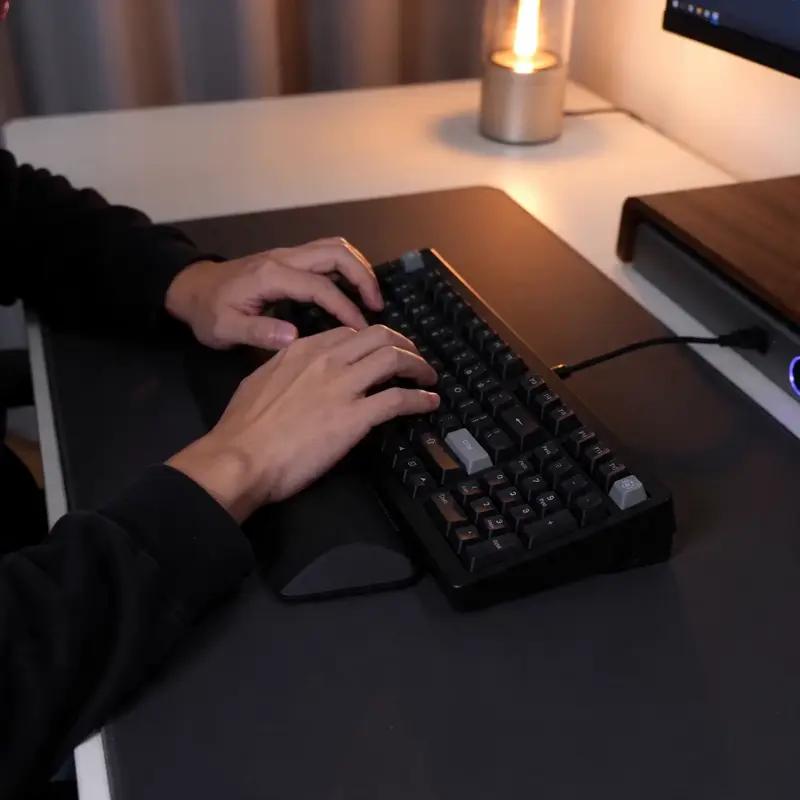
Hands typing on a mechanical keyboard, soft depth of field, warm desk lamp, quick zoom on the enter key — perfect for code walkthroughs

Glowing blue particle data sphere rotating in deep black void, subtle pulse on the surface — concept visualization for explainer videos

Macro spoon cracking the caramelized top of a crème brûlée, soft kitchen window light, ambient ASMR audio — cooking tutorial intro
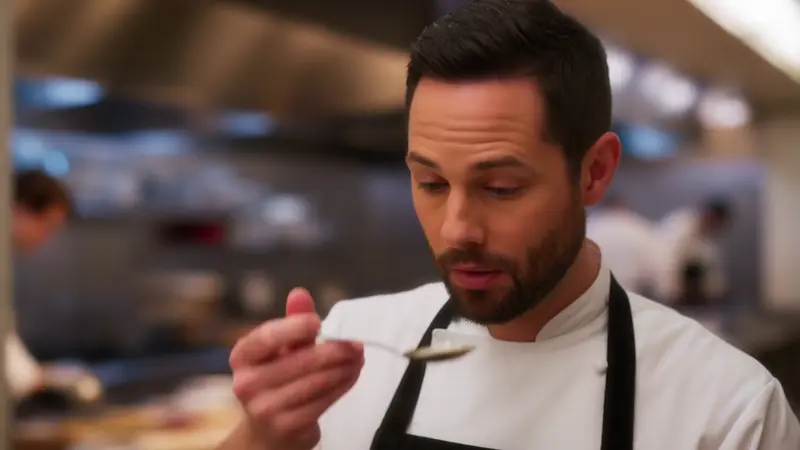
An instructor demonstrating a technique, looking at the camera with a small approving nod, classroom-soft lighting, natural ambient audio
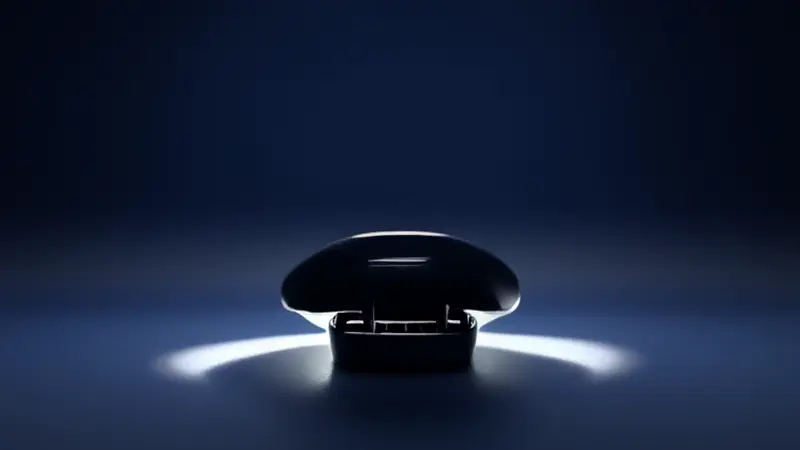
Step-by-step product demo: earbuds case opening to reveal product, clean white background, smooth rotation showing all angles
Video Examples
See it in action
Why gVideo
Built for results
No recording, no editor
Skip screen recording, voiceover takes, B-roll hunting, and editor learning curves. Type the step, pick a model, get the shot. Most tutorials finish under 30 minutes start to publish.
Right model for each step
Use Kling 3.0 for hands-on demos, Veo 3.1 when you need narration audio baked in, Wan 2.7 for batch concept clips, Hailuo for presenter-on-camera shots. One subscription, all 10 models.
Auto-refund on failure
If a generation fails, your credits come back within seconds — no support ticket, no waiting. You only pay for clips you can actually use in the tutorial.
How tutorial creators use AI for the parts that aren't screen capture
Setup intro / walkthrough body / recap outro — three tiers where AI fills the gaps without replacing the screen record
setup intro: the 5-second hook
A tutorial creator on r/NewTubers cut right to it: "The hardest part of a tutorial is the setup intro — gotta hook in 5 seconds before they bounce to another video" (r/NewTubers, 2026-03). That setup needs a visual hook. Something that screams "this video has the answer" in the first second. AI does this well — abstract visual metaphors, cinematic establisher shots, kinetic typography reveals. Sora 2 Pro, 120 credits per 4-second HD shot, that's my pick for the cold-open visual. It nails atmospheric establisher shots (sunlit workshop, hands on a keyboard, glowing UI). Combine that with a Veo 3.1 4-second clip (42 credits, native audio for a brand sting), and your setup intro runs about 160 credits, $3.55 on Pro. Reuse that intro across 5-10 tutorials. Amortized cost? ~$0.36 per video. Generate once, lock it, paste it. That brand-recall investment scales. Try this in the generator: "Modern laptop on a sunlit desk, steam from coffee, fingers about to type, cinematic establisher." That's the 4-second cold open many tutorials need.
walkthrough body: screen-record + voiceover
An r/edtech producer pointed out what AI video makers can't replace: "Screen-record tutorials are a different beast. The voiceover is 80% of the work, the visual just has to match" (r/edtech, 2026-02). That's true for SaaS, coding, app tutorials. You need the screen captured. AI doesn't replace screen recording. It complements it. The walkthrough body of a tutorial is real screen capture (OBS or QuickTime, free). AI fills visual transitions, intro animations, B-roll inserts between steps. On gVideo, I keep coming back to Wan 2.7 for tutorial B-roll, 30 credits per 5s. Clean motion, no people-render risk, abundant for short transition cuts. For a 10-minute tutorial with 6-8 transition inserts, that's about 200 credits, $4.44 on Pro. My workflow: record the screen capture first, edit the voiceover, then find those 6-8 spots where a 3-second AI transition cut would lift retention. Generate just those inserts. Don't try to AI-generate the whole tutorial; the SVO (subject-verb-object) doesn't work yet for instruction. Try this in the generator: "abstract data flow visualization, particles moving across dark background, 5 seconds, loopable." That's the kind of insert that fills tutorial gaps.
recap outro: the 10-second summary
An r/YouTube creator shared the data: "My best-performing tutorials always have a 10-second recap at the end. Retention spikes during it because they want to remember what they just learned" (r/YouTube, 2026-04). The recap, for me, is the highest-leverage outro. AI handles it well because it's pure visual, sound design. No instruction. Use Veo 3.1, 42 credits per 4-second clip, for the recap (with native ambient audio sting). Stitch 2-3 Veo clips for a 10-second outro. Add kinetic typography keying off the tutorial's main points (CapCut handles typography overlay, free). Total outro: ~90-130 credits, $2-3 on Pro. It's a reusable template across the series — same outro visual, different typography keys. The math for tutorial videos overall: setup intro $3.55 + B-roll inserts $4.44 + recap outro $2-3. Roughly $10 in AI credits per 10-minute tutorial. Compare that to hiring a freelance motion designer ($300-800 per video for similar elements). The AI-augmented workflow saves $300+ per video. Try this in the generator: a Veo 3.1 prompt like "3-2-1 countdown overlay on abstract bokeh background, soft chime audio sting at end." That's the kind of outro that closes a tutorial without feeling abrupt.
Not sure which model?
Our pick for tutorial
Kling 3.0
40 credits per 5s (~$0.89 on Pro)Best fit for tutorial content — strong adherence to step-by-step camera direction, clean motion on hands and UI elements, and natural pacing that lets viewers follow along.
“I was screen-recording 3 hours of training video every Monday. Now I script the steps, generate them in gVideo, and ship the tutorial in 40 minutes. My team thinks I have a video editor on retainer.”
Common questions
What kinds of tutorials does the AI tutorial video maker handle well?
Three patterns work especially well: (1) software walkthroughs and SaaS demos — UI cursor moves, panel transitions, dashboard reveals; (2) physical how-tos — cooking, crafts, product unboxing, repair steps; (3) explainer / concept videos — animated metaphors, data visualizations, abstract ideas. For talking-head courses where the same instructor speaks for 10+ minutes, look at AI Talking Avatar instead.
How long can a single AI tutorial clip be?
Each generation is 4-10 seconds depending on the model. For full tutorials, you generate multiple clips and stitch them — most users produce 6-12 short clips per tutorial and sequence them with cuts and titles in any free editor (CapCut, iMovie, DaVinci). The strength of AI generation is rapid B-roll and concept shots, not single-take long-form lectures.
Do I need any video editing skills?
Not for the generation step — write the prompt, pick a model, download the clip. For assembling the final tutorial you'll need basic cut-and-arrange in any free editor, which most people learn in 30 minutes. There's no compositing, color grading, or motion graphics work required.
Can I add narration / voiceover to the tutorial?
Two options: (a) Use Veo 3.1 in 'with audio' mode — the model generates ambient audio and (when prompted) voiceover lines directly into the clip. (b) Generate silent clips with cheaper models like Wan 2.7 or Kling 3.0, then add narration in your editor using your own voice or a TTS tool. Option (b) is what most tutorial creators do for cost reasons.
What's a realistic monthly cost for tutorial creators?
Depends on output. A creator publishing 4 tutorials/week at ~8 clips per tutorial = 128 clips/month. At Kling 3.0 cost (40 credits / 5s) that's 5,120 credits ≈ $115 on Pro. Mixing in Wan 2.7 for non-hero shots cuts this to ~$60-70. A casual creator publishing 2 tutorials/month stays inside the Starter plan ($9.99).
Can I use the same prompt across all 12 models to compare?
Yes — the Smart Picker recommends the top 3 models for your specific prompt, and you can hit 'Generate all 3 side-by-side' to run them in parallel. For tutorials this is particularly useful for hero shots where the difference between models matters; for routine B-roll, just pick the cheapest model and ship.
ALSO GREAT FOR