Photo + script → talking avatar
HeyGen V3 — Turn a Portrait Into a Talking Presenter
Upload a single portrait photo, write a script, and HeyGen V3 renders a talking-avatar video with lip-sync, TTS voice, and micro-expressions. Launching inside the gVideo Avatar Studio — same credit pool as Kling 3.0, Veo 3.1, Sora 2 Pro, and 6 others.
What’s different
Why creators reach for HeyGen V3
Portrait photo + script is all it takes
No green screen, no VO booking, no actor. Drop in one decent portrait photo, paste a 1–3 sentence script, and HeyGen V3 handles voice synthesis, lip-sync, and head motion in a single render.
Broadcast-quality lip-sync + natural TTS
HeyGen's V3 TTS is tuned for narration cadence — no robotic sing-song. Lip shapes match phoneme timing tightly enough to pass casual scrutiny at 1080p.
Under $2 per 30-second clip on Pro
At fal's $0.034/s wholesale and our Pro-tier pricing (45 credits / $1), a 30-second avatar render runs about $2. Far below HeyGen's standalone monthly subscription if you only need a handful of clips per month.
Shared credit pool with 10 video models
No second subscription to manage. Generate a talking-avatar intro, then swap to Kling 3.0 for the b-roll shots, then Sora 2 Pro for the hero close, all from the same credit balance.
Sample generations
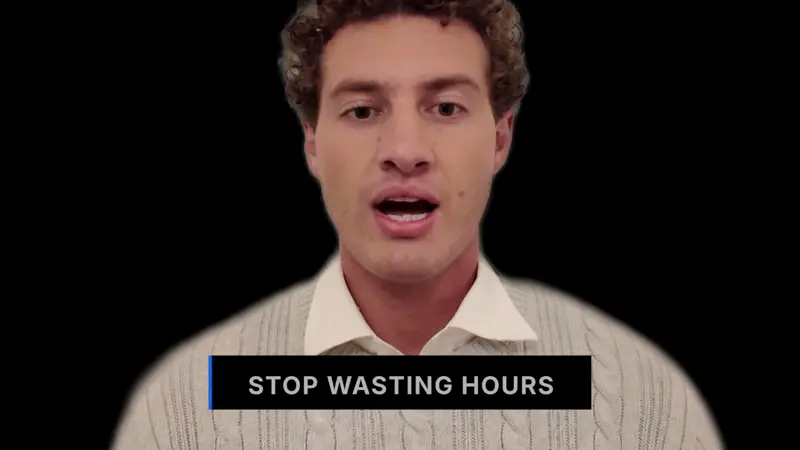
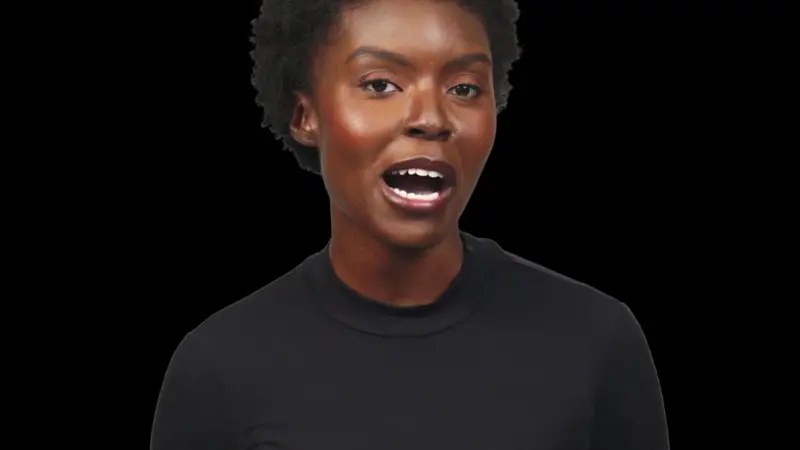
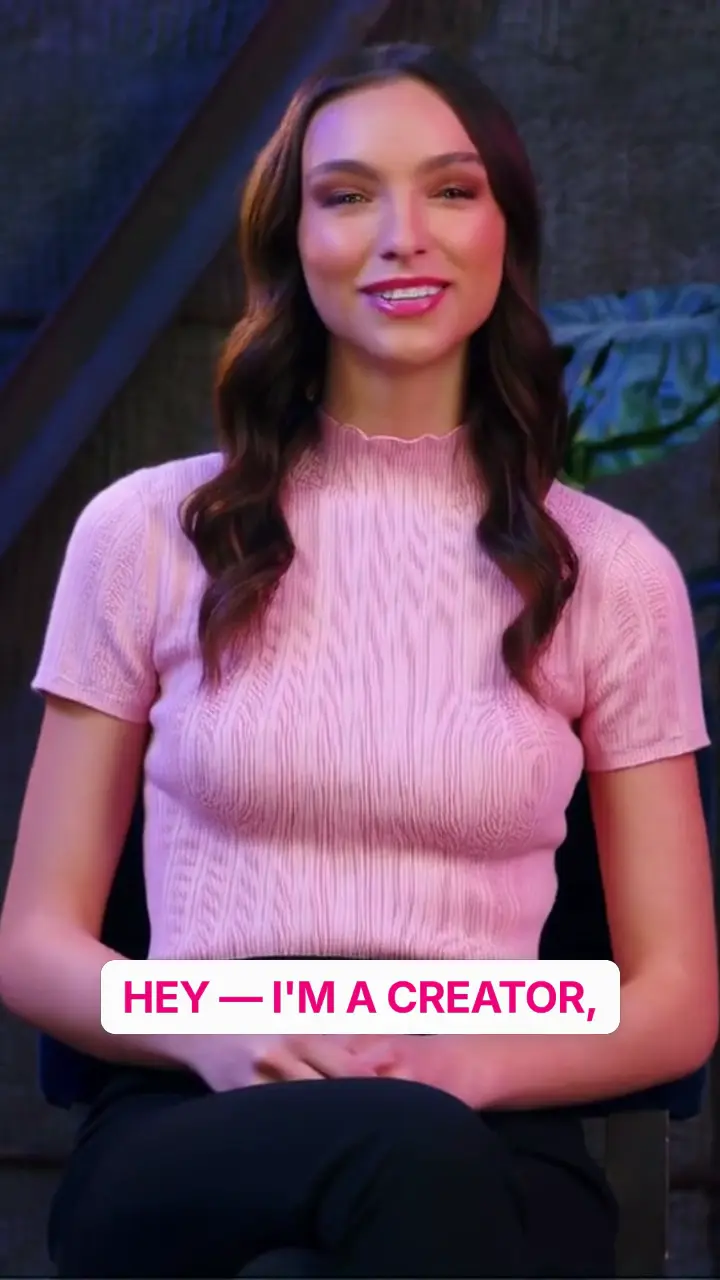
Credits
HeyGen V3 credit cost on gVideo
HeyGen V3 costs 90 credits per 30-second video. All 19 models share a single credit pool under your gVideo subscription.
HeyGen V3 is billed at 3 credits per second (roughly $0.067 / s at the Pro plan). One 30-second avatar render ≈ 90 credits ≈ $2.00. Native TTS and lip-sync are included in the base rate — no separate audio surcharge.
Common questions about HeyGen V3
When does HeyGen V3 launch on gVideo?
The HeyGen endpoint is already integrated in our model catalog with validated pricing. What's pending is the Avatar Studio UI — the photo upload + script-or-audio input flow. Pro-plan subscribers get early access the day it ships. Join the waitlist on the pricing page to get notified.
What inputs does HeyGen V3 need?
A portrait photo (front-facing, well-lit, 512px or larger on the short edge) and a script. The script drives HeyGen's built-in TTS — bring your own audio file is also supported if you want a specific voice or language.
How does HeyGen V3 compare to using HeyGen directly?
Same model, same output quality. On gVideo you pay per render (~$2 per 30s at Pro) and use the same credit pool that powers Kling, Veo, Sora, and the other 7 models. HeyGen direct requires a separate monthly subscription starting ~$29/mo — worth it only if you're rendering dozens of avatar clips per month.
Can I use HeyGen V3 output commercially?
Yes on all paid plans. Commercial usage rights are included with every paid tier on gVideo, matching HeyGen's Enterprise license terms.
What languages does the TTS support?
HeyGen V3's TTS covers 30+ languages including English, Mandarin, Spanish, French, German, Japanese, Korean, and Portuguese. Pick the language in the script input; you can also bring your own audio for languages or specific voices not covered by the default TTS.
Does HeyGen V3 support body motion or just head?
HeyGen V3 focuses on head + shoulders talking-presenter shots. For full-body talking-avatar generation, use Omnihuman (also on gVideo), which accepts a photo + audio and drives whole-body motion.
Ready to generate with HeyGen V3?
Sign up free, pick a plan, and start generating.